
WordPress is SEO-friendly right out of the box. But let’s be honest, “out of the box” rarely gets you to Page 1 of Google.
If you’re serious about WordPress SEO, you know that handling everything manually is a huge waste of time.
Managing XML sitemaps, fixing broken links, writing schema markup, and making sure your Open Graph previews are suitable for social media marketing can eat up hours of your day. A poorly optimized site kills traffic, and in 2026, the search landscape is too competitive to fall behind.
That’s why you need a dedicated tool to handle the heavy lifting.
In this guide, we’re looking at the best WordPress SEO plugins available right now. i tested these tools to see how they impact page speed, how well their new AI features work, and whether their premium versions are really worth your money.
Let’s get started,
| Disclosure: Your support helps keep the site running! We earn a referral fee for some of the services we recommend on this page. |
Direct Answer: What are the best WordPress SEO plugins in 2026?
If you are short on time and want the bottom line, here are the top tools worth installing today:
- Rank Math: The best overall choice. You get many premium features for free, it runs fast, and it even includes AI recommendations and brand-new keyword tracking to show you how much traffic you get from search engines.
- Yoast SEO: The old reliable. If you are a beginner, you will love its simple red-yellow-green “traffic light” system. It tells you exactly how to fix your writing before you hit publish.
- All in One SEO (AIOSEO): This is the go-to if you run a local business or a WooCommerce shop. It is incredibly easy to set up and mostly runs itself in the background.
- SEOPress: If you build sites for clients or are obsessed with lightning-fast page speeds, get this one. It is incredibly lightweight, ad-free, and won’t break the bank.
- The SEO Framework: The perfect hidden gem for minimalists. It is completely ad-free and handles your SEO quietly without cluttering up your WordPress dashboard.
Best WordPress SEO Plugins for 2026
These are the 8 best plugins for WordPress SEO at this moment.
1. Rank Math SEO
Rank Math SEO is the #1 WordPress SEO plugin. It offers several exciting features, including Google keyword rank tracking, LSI keyword suggestions, advanced SEO analysis, AI writing, 404 monitoring, redirection manager, and more.
You can set a single focus keyword in other free SEO plugins. But for Rank Math SEO, they are unlimited. Thus, it helps you to optimize posts for more keywords and divert maximum traffic from organic searches.
Rank Math contains more than 840 schema templates to improve search engine presence for your articles, recipes, and other content types. It also allows you to import a schema from other websites or create a custom schema for your needs.
This plugin will display your Google Analytics data, including your total search traffic, impressions, total ranking keywords, and average ranking position, within a WordPress dashboard widget. Not only that, but it can also showcase your individual post performance and page speed for each post on the front end.
Content AI is another advantage. It is a powerful writing assistant right inside your WordPress editor that analyzes and optimizes your content automatically. Rank Math also offers an AI Search Traffic Tracker to monitor your traffic from ChatGPT, Perplexity, and others.
Keyword tracking is a major part of Rank Math SEO Pro. It monitors your SERP ranking and displays statistics with historical data. It will also discover your popular posts and keywords with daily traffic data.
Rank Math SEO is a great plugin for creating SEO-friendly content, monitoring traffic, and tracking SERP rankings from one place. They have fast customer support and a 30-day money-back guarantee in premium plans.
Key Features
2. Yoast SEO
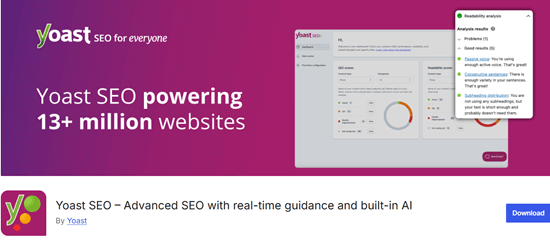
Yoast SEO is the most popular SEO plugin for WordPress websites. It can optimize any part of a website, including posts, pages, categories, tags, media, and the whole site.
The smart AI Optimize feature highlights exactly how to improve your writing and instantly generates catchy SEO titles and meta descriptions to save you time. It can also create post summaries for quick briefs or social media posts.
Yoast lets you create XML Sitemaps and edit robots.txt, .htaccess, and other files. It means you can reduce the number of plugins if you have Yoast SEO.
Key Features
3. SEOPress
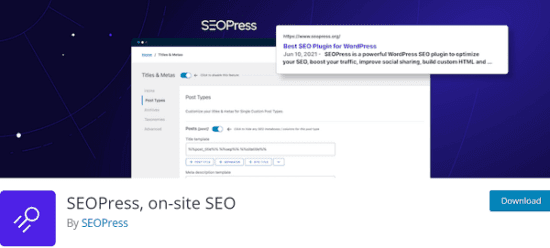
SEOPress is another free WordPress SEO plugin. It lets you optimize content, generate XML sitemaps, and perform many other SEO tasks to increase website traffic.
The plugin has a clean and intuitive dashboard. It analyzes your content in real time and provides valuable suggestions to improve its search engine visibility. SEOPress is integrated with Gemini, Claude, Mistral, or GPT-5.2 to automatically write your SEO titles and descriptions, saving you hours of boring manual work!
You will get several exciting features like image SEO, page speed tracking, redirection, and more to replace multiple WordPress plugins with a single installation.
SEOPress automatically inserts image alt attributes and redirects attachment pages to the parent post. It monitors your keyword rankings from 36 locations and displays statistics on WordPress. You can export ranking data in Excel or PDF formats if needed. With notifications, it can also track and redirect your broken links to another URL.
They have premium customer support and a 14-day money-back guarantee in paid plans.
Key Features
4. All in One SEO Pack
All in One SEO Pack is an excellent plugin that does the same job. Like Yoast SEO, it has been downloaded more than 3 million times so far and has become the frontrunner for WordPress SEO.
This plugin will automatically optimize your posts for search engines and generate meta tags accordingly. AIOSEO connects directly to ChatGPT to automatically write catchy SEO titles and meta descriptions for you. It cures writer’s block instantly and helps you get your posts published so much faster!
The plugin offers higher flexibility with regard to Sitemaps as well. It lets you include or exclude posts, pages, media, products, locations, and tags from the Sitemap.
Social Meta, Robots.txt, File Editor, Video Sitemap, Bad Bot Blocker, Google Analytics integration, and Bulk post editor are other main advantages of the plugin.
Key Features
5. Squirrly SEO

Squirrly SEO is another free WordPress SEO plugin to boost your traffic. It applies a unique approach to optimize your pages and attract more search engine visits.
Manage your posts, do keyword research, and check Google search ranking positions for individual posts—Everything from the WordPress backend. Squirrly SEO acts like your personal AI consultant. It gives you daily, step-by-step goals to hit Page 1 of Google and uses smart AI to find hidden keywords your competitors are missing.
You can monitor search trends, know their exact volume, and instantly insert them into your content. Squirrly lets you check individual post traffic with the help of Google Analytics and gives suggestions to optimize your content for more traffic.
Key Features
6. The SEO Framework

If you hate cluttered dashboards and endless upsells, The SEO Framework is exactly what you need. It is a hidden gem for minimalists who want their WordPress SEO plugins to work quietly in the background.
Unlike heavier tools, it is completely unbranded and ad-free. The biggest benefit is its smart automation. The moment you activate it, the plugin automatically generates critical meta tags and optimizes your pages, saving you hours of manual work. Because it is incredibly lightweight, it will never drag down your page speed.
You also get a straightforward color-coded bar directly on your post screen. This simple green, yellow, and red scale shows you exactly what needs fixing before you publish. Plus, it never tracks your site data, ensuring total privacy.
Key Features
7. Google XML Sitemaps
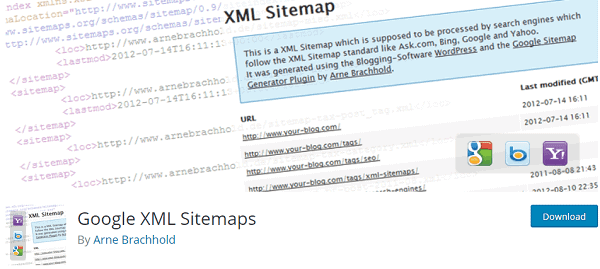
Google XML Sitemaps is a free WordPress SEO plugin. It helps you to generate XML sitemaps and improve your search rankings. It is easy to manage, lightweight, and allows you to generate sitemaps in seconds that will help crawlers retrieve your content quickly.
Unlike most XML Sitemap plugins, it offers more options to customize your sitemap by including or excluding certain content types, categories, and individual pages from it. This feature is useful for telling search engines that you are not interested in indexing some categories.
Key Features
8. WP Meta SEO

WP Meta SEO is a simple plugin to optimize your posts, images, and links. It lets you bulk edit the contents and the snippet preview option. Thus, you can instantly learn how your changes will be reflected in search engines.
The plugin will show a score for each post based on the SEO analysis and tell you what kind of modification is needed to boost ranking. Bulk image optimization is another major advantage of the plugin. It lets you update images using proper alt and title attributes in a single view.
WP Meta SEO provides detailed statistics on site links, including the number of clicks, whether they are broken, etc. You can remove or edit the link, just like a dedicated broken link checker plugin, if it is a broken link.
XML Sitemaps, Google Analytics integration, Google Search Console keyword suggestion, Custom redirection, Image resizing, Custom 404 page, Assign Follow/Nofollow tags to links, etc, are some of the remaining features of the plugin.
Key Features
Final thoughts
Choosing the right SEO plugin really comes down to what you actually need for your site.
If you want the most powerful tool with the best free features and intelligent AI helpers, go with Rank Math. It is our top pick for most users right now. If you are a beginner who wants clear, easy-to-follow writing advice, Yoast SEO is still a fantastic and reliable choice.
SEOPress is another best SEO plugin for WordPress. However, you should upgrade to its premium version to get full benefits. If you don’t want to do that, AIOSEO is worth trying.
Over to you: What SEO plugin are you currently running on your blog, and how is it working for you? Drop a comment below and let me know!
Also, if you are ready to take your traffic to the next level, check out our related guide on how to do proper keyword research to feed your new SEO plugin.
Read Rank Math vs Yoast: Which Plugin is Best for Your Website?