Direct Answer
When comparing WordPress.com vs WordPress.org, the key difference is hosting. WordPress.org is a self-hosted platform giving you full ownership, custom themes, and plugin freedom—best for growing businesses. Conversely, WordPress.com is a fully hosted, hassle-free service that handles maintenance but limits customization on lower-tier plans, making it ideal for beginners.
If you are planning to start a new website, WordPress is the best option. It powers over 40% of all websites on the internet. But the moment you decide to use it, you hit a massive roadblock: there are actually two different versions of WordPress.
You search online and see WordPress.com and WordPress.org.
What is the difference between WordPress.com and WordPress.org? Which one is actually free? Which one do professional bloggers and small businesses use?
This is the biggest point of confusion for beginners. Making the wrong choice can cost you time, Money, and a lot of frustration down the road.
In this comprehensive guide, we will break down the exact differences between WordPress.com and WordPress.org. We will look at pricing, ease of use, SEO, customization, customer support, and more, so you can confidently pick the right platform for your needs.
| Disclosure: Your support helps keep the site running! We earn a referral fee for some of the services we recommend on this page. |
What is WordPress.org? (Self-Hosted WordPress)
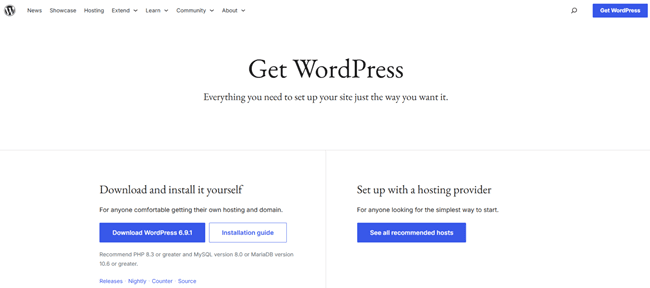
When you hear professional developers, agencies, or successful bloggers talk about “WordPress,” they are almost always talking about WordPress.org.
Also known as “self-hosted WordPress,” WordPress.org is a 100% free, open-source content management system (CMS). Because it is open source, anyone can download the software, modify the code, and use it to build any website they want.
However, there is a catch. Since the software is free, you need a place to put it on the internet. That means you have to rent space from a web hosting company (like Hostinger, SiteGround, or Bluehost) and buy a domain name.
Because you are hosting it yourself, you have complete ownership and total control over your website.
Pros of WordPress.org
- Total Control: You own your website and all its data. Nobody can shut down your site for violating their specific terms of service.
- Endless Customization: You can add any free, paid, or custom-built plugins and themes to your site.
- Monetization Freedom: You can run your own ads, use affiliate links, or sell products without sharing your revenue with anyone.
- Powerful SEO: You have access to the best SEO tools on the market, allowing you to optimize your site to rank highly on Google.
- Cost-Effective: It is surprisingly cheap to run, especially when you are just starting.
Cons of WordPress.org
- Slight Learning Curve: You have to set up your own hosting (though most hosts now offer a one-click WordPress installation).
- You Handle Maintenance: You are responsible for clicking the “update” button whenever new versions of plugins or themes are released.
- No Official Support: There is no official 1-800 number to call, though you can get support from your web host or online forums.
What is WordPress.com? (Hosted Service)
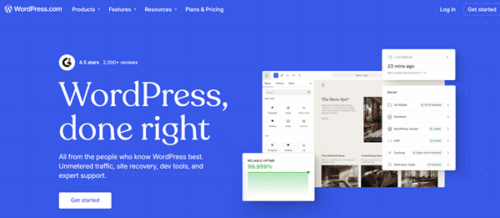
WordPress.com is a hosting service created by Automattic, a company founded by the original co-creator of WordPress.
Think of WordPress.com as a fully managed service. You do not need to buy separate web hosting or download any software. You create an account, pick a plan, and start building your website.
It is very similar to website builders like Wix or Squarespace. They handle all the heavy lifting, technical setup, and server maintenance for you.
WordPress.com offers a free plan, but it is heavily restricted. To unlock the true power of WordPress (like adding custom plugins or themes), you have to pay for their most expensive premium plans.
Pros of WordPress.com
- Extremely Easy to Start: You create an account, and your site is live in minutes.
- Zero Maintenance: The WordPress.com team handles all updates, backups, and security optimizations behind the scenes.
- Built-in Hosting: You never have to worry about server space or web hosting technicalities.
- Direct Customer Support: Paid plans come with access to direct email or live chat support.
Cons of WordPress.com
- Strict Limitations: On the free and cheaper plans, you cannot upload custom themes or plugins.
- They Run Ads on Your Site: If you use the free Plan, WordPress.com will display its own ads on your website, and you do not get paid for them.
- Less Control: They can delete your site if they believe you violated their terms of service.
- Expensive to Upgrade: To get the same features that WordPress.org offers for free, you have to pay for their high-tier Creator or Entrepreneur plans, which can cost hundreds of dollars a year.
WordPress.com vs WordPress.org: The Ultimate Comparison
Now that we understand the basic definitions, let’s compare them head-to-head across the categories that matter most to small businesses, bloggers, and agencies.
1. Ease of Use and Setup
When you are a beginner, the last thing you want to do is spend hours reading technical manuals to get your website online.
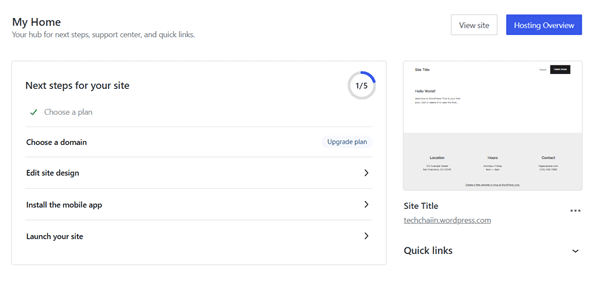
WordPress.com: Setting up a site here is incredibly simple. It operates like a traditional online service. You sign up with your email address or Google or Apple account, answer a few questions about your site, pick a basic theme, and you are ready to write your first blog post. There is no software to install or servers to configure.
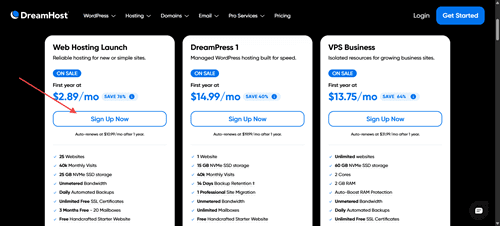
WordPress.org: Setting up self-hosted WordPress takes a few extra steps, but it is much easier today than it was ten years ago.
You first need to buy a domain name and web hosting. Once you pay for hosting, almost all modern hosting companies provide a “One-Click WordPress Install” button. Click it, and the host installs the software for you. From there, the dashboard looks very similar to WordPress.com.
Winner: WordPress.com (Slightly). It removes the step of finding a web host, but WordPress.org is a very close second, thanks to modern hosting setups.
2. Customization and Themes
Your website needs to look professional, match your brand, and stand out from the competition.
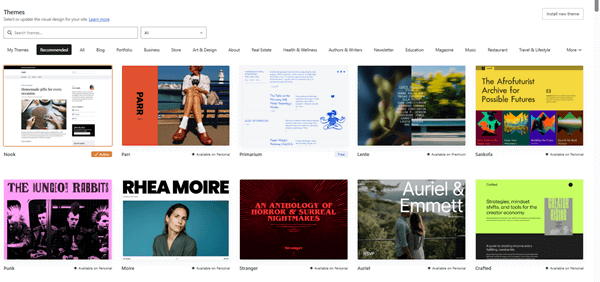
WordPress.com: Your design options depend entirely on how much Money you pay. Free users can only choose from a limited selection of free themes. Personal plan users can utilize dozens of premium themes, and other higher plan users can install all premium WordPress themes. Premium users can upload a custom theme or use influential page builders to decorate their websites.
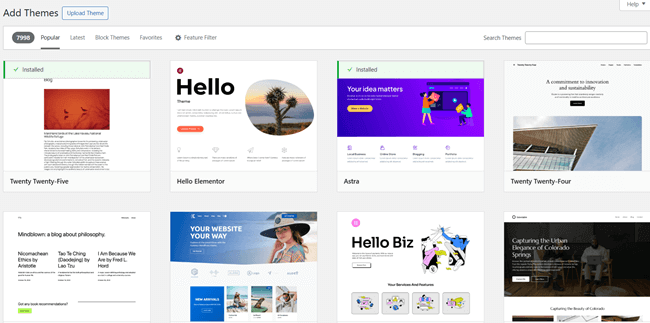
WordPress.org: This is where self-hosted WordPress scores. You have access to the official WordPress theme directory, which contains thousands of free themes. Or buy premium themes from sites like ThemeForest or hire a developer to build a custom design from scratch. You can change the code, use drag-and-drop page builders like Elementor or Divi, and make your site look exactly how you want it.
Winner: WordPress.org. The freedom to design your site without restrictions is unmatched.
3. Plugins and Extensions
Plugins are like apps for your website. If you want to add a contact form, an online store, or an SEO tool, you need a plugin.
WordPress.com: You cannot install any outside plugins on the Free plan. You are stuck with the built-in features they give you. To unlock the ability to install plugins, you must pay for a Personal plan (which usually costs around $4 a month).
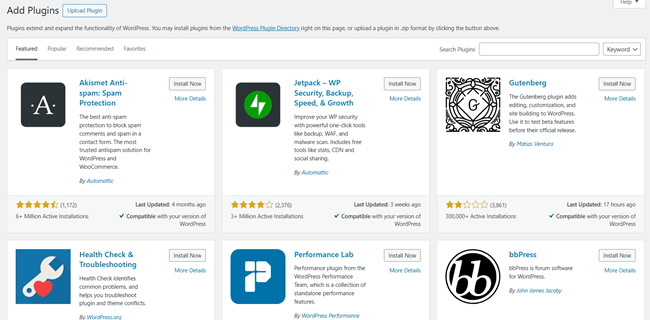
WordPress.org: You can access over 59,000 free plugins in the official directory, plus thousands more premium plugins created by third-party developers. Whether you want to turn your site into a social network, a membership site, or a massive online store, there is a plugin that can make it happen. You have zero restrictions.
Winner: WordPress.org. Plugins are the lifeblood of WordPress, and locking them behind a massive paywall makes WordPress.com significantly limiting for growing businesses.
4. Search Engine Optimization (SEO)
If you want people to find your small business or blog on Google, you need strong SEO.
WordPress.com: The platform handles basic technical SEO for you, which is nice. However, you have zero control over advanced SEO settings.
You cannot install plugins like Rank Math unless you are on their highest pricing tiers. This puts small businesses and serious bloggers at a significant disadvantage when trying to outrank competitors in search results.

WordPress.org: Self-hosted WordPress is famous for being incredibly SEO-friendly. You can install powerful, dedicated SEO plugins like Rank Math or Yoast SEO for free. These tools let you easily write meta descriptions, create XML sitemaps, manage redirects, and analyze your content.
You also have full access to your server, allowing you to optimize your site speed and caching—two primary ranking factors.
Winner: WordPress.org. SEO is too important to leave to a restricted platform.
5. Domain Names
Your domain name (like www.yourbusiness.com) is your digital identity.
WordPress.com: If you use the free Plan, you do not get a custom domain. Your website address will look like this: yourbusiness.wordpress.com. This looks very unprofessional to customers and readers. To get a real, custom domain name, you must upgrade to one of their paid plans.
WordPress.org: You have to purchase a custom domain name yourself. Most domains cost around $10-$15 per year. However, almost all good web hosting companies will give you your first domain name for free for the first year when you sign up for their hosting services.
Winner: Tie. Either way, you will eventually pay for a custom domain, and having one is mandatory if you want to look professional.
6. Mobile Friendliness
More than half of all internet traffic comes from mobile devices like smartphones and tablets. If your site looks bad on mobile, visitors will leave immediately.
WordPress.com: The themes provided by WordPress.com are generally mobile-friendly and responsive by default. However, because you cannot use advanced page builders on lower-tier plans, you cannot easily tweak the mobile layout. If a specific section looks weird on a phone, you might be stuck with it.
WordPress.org: Because you have access to thousands of themes, you can easily pick one that is entirely “responsive” (meaning it automatically adjusts to look great on any screen size).
Furthermore, because you can use advanced page builders, you can specifically edit the mobile version of your site. For example, you can hide large images on mobile to speed up page load times, or adjust text sizes for phone users.
Winner: WordPress.org. The ability to fine-tune exactly how your site appears on small screens gives you a significant advantage.
7. Monetization and Making Money
Most people start a blog or a business website to make Money. How these platforms handle monetization is radically different.
WordPress.com: They severely restrict how you make Money. On the free Plan, WordPress.com actually places its ads on your site, and you don’t make a penny from them.
You are also not allowed to sell ads on your own until you upgrade to a premium plan and apply for their specific advertising program. They also have strict rules about how many affiliate links you can use.
WordPress.org: You can monetize your site however you want. You can place Google AdSense ads, sell physical or digital products, create a paid membership area, or insert affiliate marketing links.
You keep 100% of the profits. Nobody will ever tell you how you can or cannot make Money on your own website.
Winner: WordPress.org. If making Money is your goal, self-hosted WordPress is the only logical choice.
You might also be interested in these posts:
8. Maintenance and Security
Owning a website comes with the responsibility of keeping it safe from hackers and ensuring it runs smoothly.
WordPress.com: This is the biggest advantage of WordPress.com. It is an entirely hands-off experience. Their engineering team handles all software updates, daily backups, and security sweeps.
You never have to worry about a plugin breaking your site or a hacker sneaking in through an outdated piece of software. It provides immense peace of mind.
WordPress.org: You are the boss, which means you are also the security guard. Remember to click “update” when WordPress releases new versions. You also need to install security plugins and set up automated backups.
This sounds scary, but it actually only takes a few minutes a month. Plus, many modern web hosts now run automatic backups and updates for you automatically.
Winner: WordPress.com. The “done-for-you” security and maintenance is excellent for people who want zero technical responsibility.
9. Customer Support
When something goes wrong, who do you call?
WordPress.com: They offer dedicated, professional support. Depending on which plan you pay for, you can get fast email support or 24/7 live chat support from their team of experts. If you get stuck, they are there to help you directly.
WordPress.org: Because it is free software, there is no official central support team. If you run into a bug, you have to read online forums, watch YouTube tutorials, or ask questions in Facebook groups.
However, if your website goes down, you can usually contact your web hosting company’s customer support team for help. You also get support from the developers of any premium plugins or themes you purchase.
Winner: WordPress.com. Dedicated live chat support is a massive benefit for non-technical users.
🚀 Ready to Launch Without the Hassle?
Skip the technical setup and build your dream website today. WordPress.com handles the hosting, security, and maintenance so you can focus on what you do best—creating!
Get Started with WordPress.com10. Pricing and Costs
Let’s talk about the bottom line. How much does it actually cost to run a website on these platforms?
WordPress.com Pricing:
- Free Plan: $0, but you get a messy subdomain (yoursite.wordpress.com), you cannot install plugins, and they put their ads on your site.
- Personal/Premium Plans: $4-$8 per month. You get a custom domain and no ads.
- Commerce Plan: Around $45 per month (billed annually, so about $540 upfront). This is the cheapest Plan that gives you e-commerce tools to set up an online business.
- Total Starting Cost for a “Real” Site: $300+ per year.
WordPress.org Pricing:
The WordPress software is free. To get started, you need web hosting and a domain.
- Web Hosting: You can find great starter hosting (like Hostinger or Bluehost) for about $3-$5 per month.
- Domain Name: Usually free for the first year, then around $15 per year after.
- Total Starting Cost: Roughly $35 to $60 for your entire first year.
- As your business grows, you can buy premium themes (a one-time cost of $50-$80) or premium plugins, but these are entirely optional.
Winner: WordPress.org. It is significantly cheaper to start a fully functional, unrestricted website using self-hosted WordPress.
WordPress.com vs WordPress.org: Which Should You Choose?
Now that we have covered every detail, which platform is actually right for you? The answer depends entirely on who you are and what you want to achieve.
Who Should Use WordPress.com?
WordPress.com is ideal for hobbyists, personal journal writers, or family bloggers. If you want to write articles for fun, do not care about making Money, and have absolutely zero desire to deal with web hosting or technical settings, WordPress.com is a fine choice. The free Plan is perfectly adequate for a personal diary.
Who Should Use WordPress.org?
WordPress.org is the absolute best choice for small businesses, professional bloggers, agencies, and online stores.
If you want to look professional, rank on Google, make Money, and have total control over your digital storefront, you must use self-hosted WordPress.org. It gives you the flexibility to grow your website exactly as your business grows.
Yes, buying web hosting takes five extra minutes of setup, but the freedom, lower costs, and lack of restrictions make it the superior platform by a landslide. There is a reason why the biggest brands in the world, top-earning bloggers, and creative agencies all use WordPress.org.
Final Thoughts
The WordPress.com vs WordPress.org debate usually ends the same way for serious creators: WordPress.org is the clear winner.
While WordPress.com offers a comfortable, hands-off experience, the restrictions on themes, plugins, and monetization are too strict for a growing brand. By choosing self-hosted WordPress.org from day one, you ensure that you own your platform, control your SEO, and have the tools necessary to build a successful website for years to come.
If you are ready to start, find a reliable web hosting provider, claim your free domain name, and start building your dream website on WordPress.org today.
🌐 Need Reliable Hosting for WordPress.org?
To unlock the full power of WordPress.org, you need a lightning-fast and secure host. Check out our hand-picked list of the best shared hosting services to find the perfect home for your new website!
Read Our Hosting Guide