Choosing a WordPress.com plan is not an easy task. While basic bloggers can start with a free plan, that’s not the case for others. They have to analyze all plans carefully to understand their features and benefits.
Some plans are best suited for personal blogs and hobby sites. Others work well for small businesses, freelancers, and online stores, as they need more storage, custom domains, themes, and plugins to get more control.
In this guide, we’ll take a close look at the WordPress.com plans and compare their features, pricing, support, etc. This helps you pick the right WordPress.com plan for your needs.
| Disclosure: Your support helps keep the site running! We earn a referral fee for some of the services we recommend on this page. |
What Is WordPress.com?
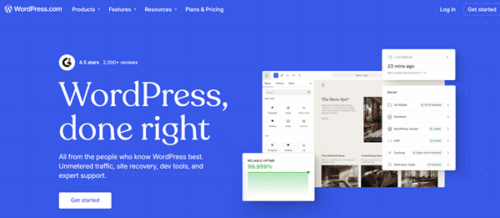
WordPress.com is a managed, hosted website-building platform. It lets you create and manage a website without handling technical setup.
You do not need to buy hosting separately. Your website will run on WordPress.com servers. Therefore, no need to install any Content Management System (CMS) on your site.
The platform takes care of security, backups, and updates. This saves your time and gives you peace of mind. WordPress.com offers several built-in themes, plugins, customization tools, and a backend panel to manage your website.
Premium users will get a free domain and unlimited bandwidth. You can serve content faster with a global CDN and its edge points in 28 locations.
WordPress.com has 24/7 fast customer support. It is a great platform for businesses, blogs, and online stores to manage everything from one place.
WordPress.com vs WordPress.org: Difference
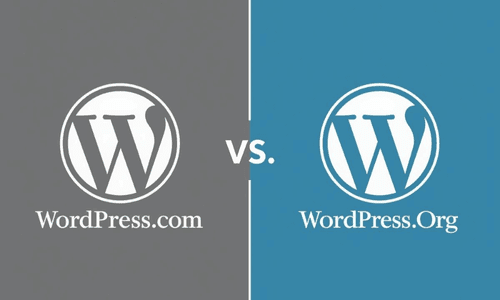
WordPress.com and WordPress.org may confuse new users. They share the same WordPress software for website management. However, the user experience is different.
WordPress.com is a hosted platform. It handles hosting, security, updates, and backups for you. You can sign up for an account and start building websites instantly.
There is no server setup or manual maintenance. It is easy to use. Features depend on the plan you choose. The free plan contains ads, and the basic plan offers limited customization options.
WordPress.org is a self-hosted platform. You should download the open-source software and install it on your own hosting. It gives you total control over your site, including themes, plugins, coding, etc. You should manage backups, updates, and other maintenance tasks.
WordPress.com bundles web hosting, CDN, SSLs, and other features into your plans. WordPress.org software is free, but it requires extra payments for hosting, domains, and others.
The choice depends on your needs. WordPress.com suits users who want simplicity and ease of use. WordPress.org suits users who want complete control and long-term flexibility.
WordPress.com: Key Features
WordPress.com is a reliable and secure place to create your dream website. Beginners can establish their online presence easily without buying a web hosting plan.
From a custom domain to newsletter management, they will get everything under one roof. Most interestingly, you don’t need to pay extra for these tools. They are included in your plan.
These are the main features of WordPress.com plans,
1. Free Domain
All premium WordPress.com plans include a free custom domain for the first year. This means you can choose a unique web address like yourname.com without paying extra.
A custom domain makes your site look professional and easier to remember. If you start with the Free plan, you will get a wordpress.com subdomain instead. Once you upgrade to a paid plan, you get the free domain offer.
After the first year, you’ll renew the domain at regular rates. Having a free domain bundled into the plan saves money when you launch your site. It also keeps everything in one place — your domain, hosting, and website tools all under WordPress.com’s platform.
2. Free CDN (Content Delivery Network)
WordPress.com includes a global Content Delivery Network (CDN) for all sites. It has 28+ edge points in different cities.
A CDN stores copies of your site’s files on servers around the world. When a visitor visits your site, the server closest to them delivers the content. This helps your pages load faster, no matter where your audience is.
Faster speed not only improves user experience but also boosts SEO. The CDN works behind the scenes for all your content, including media files — like images, videos, and documents.
Even sites on the Free plan get CDN integration. This is one reason WordPress.com sites load quickly and stay responsive under traffic spikes.
3. Premium Themes & Plugins
Premium WordPress.com users will get access to a variety of professional-quality themes and plugins. They help you decorate websites with stunning layouts, pre-designed templates, and unlimited customization options.
Plugins will add more functionality to your site. You can add contact forms, calendars, SEO tools, galleries, social sharing, and more using them. They are helpful to build any kind of website you imagine.
4. Security
WordPress.com provides web application firewalls, encryption, and login protection to protect your site from threats.
SSL certificates are included so visitors can see a secure connection in their browsers. WordPress.com handles updates and patches for you. This reduces the risks from outdated software.
Their isolated infrastructure safeguards your websites from infections if any on other sites hosted on the same server. Powered by JetPack, WordPress.com further enhances your security level through advanced spam protection and activity log.
Paid plans come with automated backups and malware scanning. You don’t need to install any special security plugins. The platform handles the core security functions so you can focus on your content and growth.
Regular backups help you restore your site if something goes wrong. Strong security features are especially important for business and e-commerce sites. WordPress.com provides a strong security foundation for all users.
5. Performance
WordPress.com provides performance features that help your sites load faster. It uses an optimized hosting infrastructure built for WordPress. A CDN speeds up the delivery of site files to visitors around the world.
Caching and server tuning make your pages responsive. You will also benefit from a managed infrastructure that auto-scales during traffic peaks.
Paid plans build on this foundation with better storage and bandwidth handling. Fast performance improves user experience and boosts your SEO.
No need to install extra caching tools or performance booster plugins. WordPress.com handles this for you. The result is a reliable site that loads quickly for visitors on desktop and mobile alike.
6. High Availability
WordPress.com’s infrastructure is focused on keeping sites online at all times. It ensures that your content is accessible during heavy traffic or server issues.
The platform uses multi-layer hosting and cloud technologies that minimize downtime. You don’t have to monitor the website’s uptime as JetPack has a built-in tool for it.
WordPress.com also offers automated datacenter failover to enhance your online presence. This is beneficial for growing blogs, business sites, and online stores that rely on constant access.
7. Customization
WordPress.com offers unlimited customization options. Change almost anything, such as fonts, colors, layouts, patterns, and many others, through your theme customizer.
Insert custom codes to apply your own style with CSS. You can install all third-party themes and plugins in Premium or higher-level plans. This lets you build a site that matches your branding.
WordPress.com is beginner-friendly. It means that anyone can manage their site’s appearance without coding. They should open theme settings or customizer options to make changes with a live preview.
8. Analytics
WordPress.com includes built-in analytics to track how your site is performing. You will see details like the number of visitors, page views, and traffic trends.
Connect to Google Analytics on higher plans for more insights. These tools help you better understand your audience. You can learn what content they like and where they’re coming from.
There’s no need to install third-party analytics plugins to start tracking user data. WordPress.com’s built-in analytics dashboard gives you all the details you need. Understanding your traffic helps you improve your engagement and reach your goals.
9. E-commerce Tools
WordPress.com offers advanced eCommerce tools in the Commerce plan. It integrates with WooCommerce — the leading e-commerce plugin for WordPress.
This plan features many premium store themes with powerful design tools to build stores as you like. You can sell unlimited products, manage orders, give discounts, and accept payments from 60+ countries.
E-commerce tools help you set up an online business with built-in features and extensions. The platform supports selling both physical and digital products.
10. Growth tools
WordPress.com has a built-in AI assistant to write and optimize your content faster. It also checks for spelling mistakes in your texts, notifies you about complex words that affect the readability score, and generates images.
The Jetpack helps you craft and send compelling newsletters directly within WordPress. It will automatically share your posts on social media to bring regular traffic.
WordPress.com allows you to display WordAds to monetize your content. You can add paid subscribers and collect subscription charges from them. There are options to insert donation buttons in posts and get paid through PayPal as well.
WordPress.com Pricing
WordPress.com has 5 subscription plans: Free, Personal, Premium, Business, and Commerce.
Free
Personal
Premium
Business
Commerce
The Free plan works for basic blogs and personal writing. It allows you to publish content without spending money. Your site uses a WordPress.com subdomain.
This plan includes unlimited users, malware protection, free themes, and unlimited social media sharing. However, WordPress.com ads appear on your pages, which will affect your visitor experience.
The Personal plan removes WordPress.com ads from your site. It includes a free custom domain for the first year. This helps you build a brand and user trust. You can install third-party plugins and dozens of premium themes with limited customization options in this plan.
You will also get more details about your visitors, including peak traffic times, and applying filters. This plan fits personal websites, simple blogs, and online profiles. Premium support is available to answer your questions and solve complaints.
The Premium plan will add advanced design tools. You get access to all premium themes and more storage. Monetization tools and advanced analytics become available. This plan suits bloggers, creators, and portfolio sites that need visual flexibility. You gain deeper control over site appearance, such as fonts, colors, and layouts.
The Business plan gives you full control over site functionality. WordPress.com automatically backs up your website, which can be restored in 1 click. It will also monitor your uptime and notify you about the downtime, if any.
You will get access to all developer and security tools, such as staging, isolated infrastructure, etc. This plan is suitable for business websites, service providers, and advanced content sites.
The Commerce plan builds on the Business plan with a strong focus on selling online. It also includes WooCommerce support. You can sell both physical and digital products in this plan.
Payment processing, shipping tools, and tax settings are available. Premium store themes, automations, and integrations add more benefits. This plan is suitable for online shops and paid product sites.
Final thoughts
WordPress.com is a great website-building platform for businesses, startups, and blogs. It is easy to manage and comes with built-in hosting support.
No need to buy a web hosting plan or premium web management tools for content generation, marketing, and caching. WordPress.com will handle everything for you.
Beginners can start a blog for free. Once their site starts growing, they can upgrade to a premium plan to add more storage, features, and a custom domain.
Select a plan that meets your requirements and includes the necessary features. If you want to install any premium theme with full design freedom, go with the Premium or higher plan.
The Business plan offers real-time backups and staging, along with the lowest transaction fees in payment collections. To sell products online, opt for the Commerce plan. It also helps you collect money without any transaction charges.
Click here to visit WordPress.com and set up your business site on a WooCommerce store today