
Today, staying ahead of your competition is not easy. Trends move fast. Customers’ demand changes overnight. New brands and products emerge every week. To succeed, you need more than talent or hard work.
You should use smart tools that help you work faster, plan better, and make data-driven decisions. That’s where SaaS tools play a vital role. They streamline tasks, increase productivity, and give you the insights you need to stay sharp.
Whether you run a startup or manage an established business, the right tools can help you track performance, automate tasks, and enhance the customer experience. Fortunately, with SaaS tools, streamlining your workflow becomes simpler.
From effective collaboration to project tracking, it enables you to do numerous tasks. Additionally, they are cloud-based tools, so you don’t need to worry about downloading heavy software to your devices. The SaaS industry’s value is projected to grow to $700 billion by 2030.
In this guide, we explore the 13 best SaaS tools that can keep you one step ahead in your industry. Each tool brings something valuable to the table. As you read, you will discover how they work, why they matter, and how they help you grow. Let’s dive in and upgrade the way you compete.
Let us get started.
What is a SaaS Tool?
A SaaS (Software as a Service) tool is software that you access over the internet, rather than installing it on your computer. The complete form of SaaS is Software as a Service. It runs on cloud servers, and you usually pay a monthly or yearly fee to use it.
SaaS tools are popular because they are easy to set up and update. You can access them from any device, work from anywhere, and share data with your team in real time.
They cover a wide range of business needs, including project management, marketing, finance, communication, and customer support. Unlike traditional software, you don’t worry about storage, maintenance, or upgrades. Everything happens automatically in the background. This makes SaaS tools ideal for fast-growing businesses that want flexibility and speed.
If you want to stay competitive, SaaS tools help you make better decisions, automate routine tasks, and scale without heavy investment in hardware or technical setup.
Best SaaS Tools for 2026
In this article, we will look at the 13 best SaaS tools for your business to stay ahead of your competitors. So let’s get to it.
1. Hubspot CRM
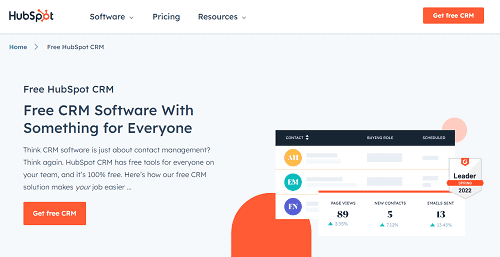
HubSpot CRM is one of the most powerful SaaS tools for driving business growth. It enables teams to track leads, manage deals, send email sequences, and generate reports without incurring upfront costs.
This platform suits startups and scaling companies because the free tier covers core CRM needs. Paid tiers add automation, advanced analytics, customer service suites, chatbots, and marketing tools.
HubSpot helps teams move prospects faster through the pipeline. If your leads fall quiet or deals get lost between spreadsheets, CRM adoption becomes a real competitive advantage.
This is undoubtedly an online marketing hub for businesses. However, HubSpot alternatives and competitors are primarily designed for businesses with large teams and substantial budgets.
Pricing: $800/mo
2. ClickUp
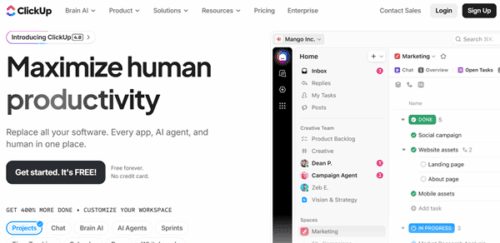
ClickUp is an all-in-one productivity platform for teams. It allows you to create projects, assign tasks, create automations, and track progress in one place.
You can create to-do lists, set deadlines, and monitor workflows without switching tools. Once you have finished projects, share them with colleagues to collect feedback and make improvements.
Members can upload files with unlimited storage and chat with other users. ClickUp offers unlimited message history, so you can track old messages easily at a later time.
You will also get reports to measure performance and spot delays. Whether you lead a remote team or manage multiple projects, ClickUp helps you stay efficient. It keeps work visible, structured, and moving forward so you stay ahead of competitors.
Pricing: $7/user/mo
3. MS Teams
Microsoft Teams is a cloud-based collaboration tool that helps you communicate with other users and work together from anywhere. It combines chat, video calls, file sharing, and project discussions in one place.
You can create channels for different departments or topics. This keeps conversations organized and easy to find. Microsoft Teams enables you to edit documents collaboratively in real-time and share updates instantly. It is helpful for remote and hybrid work because meetings, messages, and files stay synced across devices.
This platform offers tools to schedule calls, host webinars, and conduct quick chats with colleagues. MS Teams also supports integrations with MS Office Suite and third-party apps, which makes workflows smoother.
With secure access and strong collaboration features, Microsoft Teams ensures everyone stays aligned, informed, and productive. This enables businesses to move more quickly and gain a competitive advantage.
Pricing: $4/user/mo
4. AWS
AWS, short form for Amazon Web Services, is a leading cloud platform that powers all types of businesses. It offers a wide range of services, including computing power, storage, databases, analytics, and security.
Instead of purchasing physical servers, companies use AWS to run applications in the cloud. This makes it faster and cheaper to scale as their needs grow.
AWS is known for its reliability, flexibility, and global availability. You can deploy apps across multiple regions and ensure seamless performance for users worldwide. It also includes tools for automation, machine learning, and data management.
Startups use AWS to launch apps quickly and efficiently without incurring heavy investments. Large enterprises utilize it to enhance efficiency and lower operational costs.
With robust security features, AWS ensures data safety and compliance with regulatory requirements. Its flexibility and rich toolset help businesses innovate, experiment, and stay ahead of competitors in a rapidly changing market.
Pricing: Free (Conditions apply)
5. Zendesk
Zendesk is a customer service platform designed for businesses. It brings customer inquiries from email, chat, phone, and social media into one dashboard. This makes it easy for support teams to manage conversations and solve issues quickly.
This platform includes ticketing tools that let agents track requests and assign tasks. It also offers automation to route tickets to the right person and speed up responses.
Businesses can build a knowledge base so customers can find answers themselves without contacting support. Zendesk also provides detailed analytics. You can measure customer satisfaction, track resolution time, and find areas to improve.
Pricing: $49/mo
6. Trello
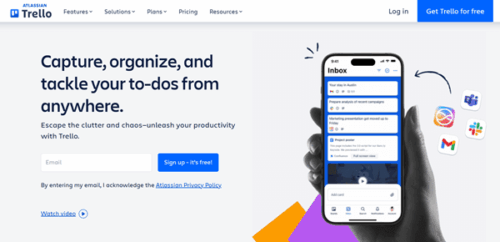
Trello is a simple yet powerful project management tool that helps you organize tasks visually. It uses boards, lists, and cards to show work progress in a clear way.
Add tasks, set deadlines, attach files, and assign team members with ease. Trello’s drag-and-drop style makes it easy to move tasks through different stages. It suits individuals, startups, and growing teams who want a clean and flexible planner to finish tasks on time.
You can create boards for projects, campaigns, or personal goals.
Members can comment on tasks and share feedback instantly.
Trello also supports integration with apps like Slack, Google Drive, and Dropbox. This improves collaboration and keeps important information connected.
Pricing: Free
7. Semrush
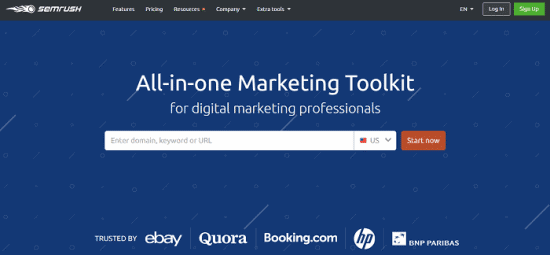
Semrush is a powerful online marketing platform that helps you improve brand visibility and outperform rivals. It offers tools for SEO, keyword research, content planning, PPC, and social media management.
You can analyze competitor websites, see their top keywords, backlinks, and find content or backlink gaps you can target. Semrush shows backlink profiles of any website, audits your site, and tracks keyword rankings. Backlink analysis is another advantage. This helps you detect your toxic backlinks and remove them in minutes.
Their content marketing tools suggest topics, check your content, and track how articles perform. Semrush also allows you to monitor ads, compare spending, and refine your campaigns. It supports all major social networks, allowing you to schedule posts and track engagement. This detailed review gives you more information about Semrush features and key benefits.
Pricing: Free
8. Slack
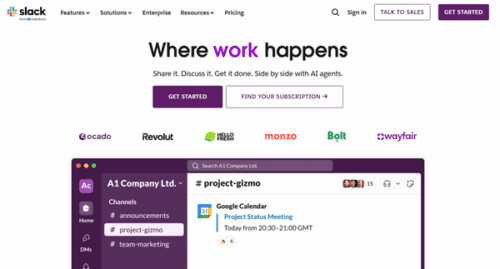
Slack remains popular because messages feel simpler than emails, and channels make it easy to follow topics. Remote teams, in particular, use Slack to shorten decision-making cycles.
Sales chats, project updates, leadership announcements, fun channels — everything lives in one place. Slack also connects with CRM, task apps, calendars, and analytics tools. This converts messages into actions without requiring a window switch.
Many competitive teams choose Slack because it enhances transparency — people know what is happening, who is responsible, and what needs attention.
Pricing: Free
9. Notion
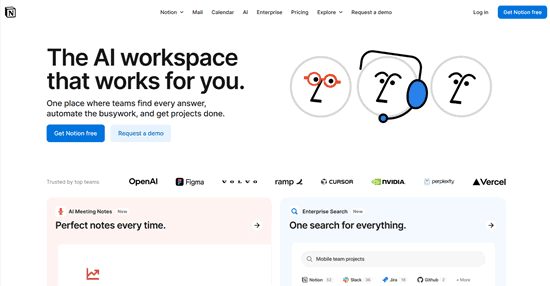
Notion is a flexible workspace that lets you manage notes, documents, tasks, and databases all in one place. It can replace multiple work management tools and offer a clean structure for organizing ideas.
Write content, build knowledge hubs, track projects, and create custom dashboards with built-in tools. Team members can edit pages together and comment in real time. They have templates to create pages for planning, meetings, and documentation.
You can embed media, link pages, and connect data across sections. This helps teams avoid information overload.
Notion syncs across devices, so you always have access to your work. Because it is highly customizable, each team can shape Notion to fit their style. With everything connected, Notion boosts clarity, improves collaboration, and helps businesses stay competitive.
Pricing: Free
10. Loom
Loom is a video messaging tool that makes communication faster and clearer. It lets you record your screen, voice, and camera in seconds.
Explain your ideas, show workflows, or give feedback without scheduling long meetings.
This is a great tool for remote teams because people can watch messages whenever they have time. You can simply send a link, and viewers can comment, react, or respond. This reduces confusion and saves time spent on emails or calls.
Loom is helpful for tutorials, onboarding, and product demos. It makes messages personal and easy to understand. You can store videos in folders and share them across projects.
You can use Loom and record videos from any device. Loom increases your productivity, improves clarity, and supports asynchronous work. With faster communication and better knowledge sharing, teams can move faster and stay ahead of the competition.
Pricing: Free
11. Google Analytics 4
Google Analytics 4 (GA4) is the latest version of the popular web analytics tool from Google. It tracks how users interact with your website or app by capturing every click, scroll, purchase, or event — not just page views.
GA4 gathers data across web and mobile in a single property. That helps you see the full customer journey — from first visit to final conversion — even if users switch devices or revisit later.
It brings smarter analytics. Machine-learning features highlight trends, predict who might buy, and suggest high-value audience segments.
Report tools in GA4 include customizable dashboards, funnel tracking, and deep user-behavior analysis.
With clear insights into engagement, traffic sources, and conversions, GA4 helps you make data-driven decisions. That means better marketing, a better user experience, and a stronger edge over your competitors.
Pricing: Free
12. Zoho
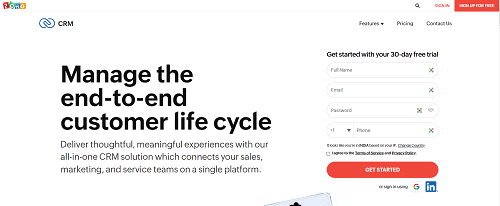
Zoho is an all-in-one business software suite that helps companies manage everything from sales to support in one place. It offers tools for CRM, email, finance, HR, marketing, and project management. This makes Zoho useful for startups as well as growing enterprises.
You can organize leads, track deals, and automate sales tasks using Zoho CRM. Zoho Mail and Zoho Projects keep teams connected and aligned. Its finance tools handle billing, accounting, and inventory.
Zoho also supports automation, so repetitive tasks can be handled without any manual effort. All apps integrate smoothly, which reduces switching between platforms.
Like other apps we discussed, this is a cloud-based platform, so you can access it from anywhere and stay updated in real time. Zoho offers dashboards and reports to help you measure performance and improve decisions.
Pricing: $14/mo
13. FreshBooks
FreshBooks is a cloud-based accounting tool designed for freelancers, small businesses, and growing teams. It helps you manage invoicing, expenses, payments, and financial reports from a simple dashboard.
Create professional-quality invoices, send them to clients, and track when they are seen or paid. FreshBooks supports online payments, which speeds up your cash flow. It includes time tracking, so service providers can bill accurately for hours worked.
You can upload receipts, categorize expenses, and see how money is moving through the business. FreshBooks generates reports that show your profits, tax summaries, and financial health. This makes decision-making easier and reduces stress during tax season.
FreshBooks works on desktop and mobile, so you can manage finances on the go. Because it simplifies accounting, FreshBooks saves time and reduces errors. This gives businesses more freedom to focus on growth and stay ahead of competitors.
Pricing: $8.40/mo
Final thoughts
The article showcases ten SaaS tools to help you make your business better. However, it is up to you to decide which tool is right for your business. This depends on factors like business type, size, budget, etc. Skimming through the available tools is essential when picking the one that aligns with your business needs.
Also, choosing a SaaS tool is step 2. The first step is to address the business need that will help you determine if a SaaS tool will meet that need. So, know your business requirements thoroughly and then use a SaaS tool when required.
Good luck!